Sellerboard
Sellerboard Smart Portfolio vs. Existing PPC Campaigns
Can Sellerboard Smart Portfolios conflict with existing Amazon PPC campaigns? Learn how to avoid keyword overlap, import campaigns, and optimize your ads.
Jun 28, 2026
I'll do my best to help you, let's go!
Can Sellerboard Smart Portfolios conflict with existing Amazon PPC campaigns? Learn how to avoid keyword overlap, import campaigns, and optimize your ads.
Learn how to edit Sellerboard Smart Portfolios, adjust daily budgets, target ACoS ranges, and bid strategies, plus which settings can't change after launch.
Learn how Sellerboard Smart Portfolios automate Amazon PPC, when to expect results, and how to start with a small budget. Get a 2-month free trial.
Compare Sellerboard pricing and features, discover what's included in each plan, understand trial limitations, and claim an extended 2-month free trial.
Learn how to access the free Sellerboard demo account, explore Amazon profit analytics, and test the dashboard. Plus, get a 2-month free trial.
Learn how Sellerboard advanced PPC settings work, including click analysis, gradual bid changes, and optimization strategies for Amazon advertising.
Learn how to use Sellerboard's PPC Dashboard to analyze Amazon ad sales, ACOS, expenses, and estimated profit. Plus, get a 2-month free trial.
Does Sellerboard Smart Portfolio automation work in Europe and other Amazon marketplaces? Discover supported regions and why demo accounts show fewer marketplaces.
Learn how Sellerboard PPC optimization uses target ACoS ranges, keyword profitability, automated bid adjustments, and budget allocation to improve Amazon ads.
Learn how to use Sellerboard Smart Portfolios to automate Amazon PPC, discover keywords, optimize bids, and scale profitable campaigns. Get 2 months free.
Discover how Sellerboard helps Amazon sellers track profits, manage inventory, analyze PPC costs, and monitor expenses. Get a 2-month free trial.
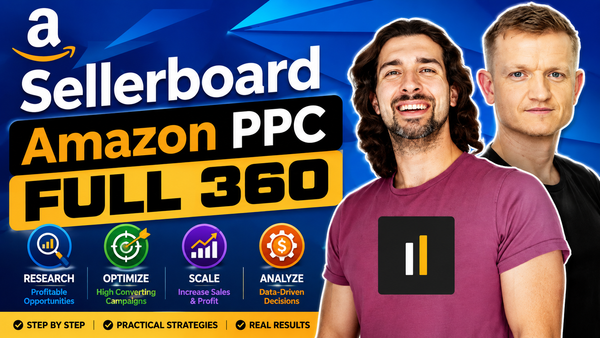
Discover how Sellerboard Smart Portfolios automates Amazon PPC keyword discovery, bid optimization, and budget allocation. Get 2 months free.
Learn how Sellerboard Smart Portfolios automate Amazon PPC with keyword discovery, bid optimization, and budget allocation. Includes step-by-step setup tips.

Learn how to use Sellerboard for Walmart to track net profit, sales, COGS, shipping fees, and expenses. Plus, get an exclusive 2-month free trial.
Is Sellerboard legit and accurate? Read my honest review as an Amazon seller, explore features, pricing, and get an extended 2-month free trial.

Is Sellerboard worth it? Explore its profit tracking features for Amazon, Shopify, and Walmart sellers, plus an exclusive 2-month free trial.
Try Sellerboard free for 2 months. No credit card required. Explore pricing plans and see how it helps Amazon, Shopify, and Walmart sellers track real profit.
See what’s left of $500 in Amazon sales after fees, ads, and product costs. Learn how Sellerboard helps you plan reorders and track profit on Shopify and Walmart.
Compare Shopify’s 30-day Sellerboard trial with the two-month offer in Vova’s video. Check your first billing date and find the separate Amazon trial link.
Calculate Shopify pick and pack costs in Sellerboard. Follow a three-shirt order to see how package fees, extra picks, and return handling affect profit.
Track overhead in Sellerboard for Shopify. Learn how to add one-time and recurring costs, flag advertising expenses, and assign photo shoots to specific products.
Learn how to manage Sellerboard for Shopify settings, exclude sales channels, adjust refund calculations, and control team access with user permissions.
Compare Sellerboard for Shopify pricing from $9/month. Explore all four plans, monthly order limits, features, and an exclusive 2-month free trial.
Learn how to configure payment fees in Sellerboard for Shopify, adjust gateway rates, and track accurate profits. Get an exclusive 2-month free trial.